
Use Grapes as a top-off, then save stronger healing for dangerous routes.
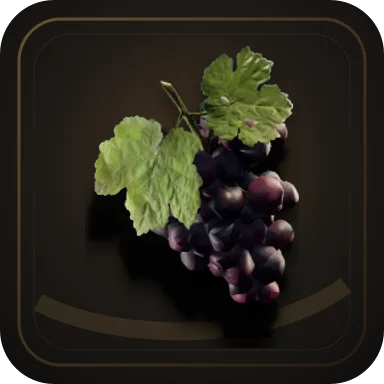
Item / Food
Grapes
Grapes are a small food item that restores 8 HP. Wolf can carry them as a drop, so treat Grapes as minor healing or food collection filler rather than a build-defining item.
Facts
Grapes Details
- Type
- Food
- Effect
- Regenerates 8 HP
- NPC Drops
- 1 npc drops
Player route
How to use Grapes
Grapes are a small food item that restores 8 HP. Wolf can carry them as a drop, so treat Grapes as minor healing or food collection filler rather than a build-defining item.
Use Grapes as backup food if they are already in your route. Do not spend travel time or ore around them unless you are collecting small heals before a nearby fight.
Chasing Grapes as a build item wastes time; the 8 HP heal is a top-off, not a reason to delay weapons, armor, or trainer visits.
Plan with it, confirm in your save Use Grapes as backup food if they are already in your route. Do not spend travel time or ore around them unless you are collecting small heals before a nearby fight.
Route decisions
Decide what to do with Grapes
Use these rows before you spend LP, ore, time, or quest progress around this entry.
If you needCheckDo nextRisk
If you needQuick heal
Check
Whether 8 HP is enough for the next low-risk fight.
Do next
Use Grapes as a top-off, then save stronger healing for dangerous routes.
Risk
Small food cannot rescue a route that really needs armor or potions.
If you needFind Grapes
Check
Wolf link, New Camp route, and current drop or inventory state.
Risk
A long detour for one small food item is rarely worth it.
If you needSell or ignore
Check
Inventory space, immediate healing need, and whether a stronger item is available.
Do next
Ignore or sell only when you already have better recovery for the route.
Risk
Keeping every minor food item can clutter inventory, but selling all healing can punish early mistakes.
Route preset
Safe route preset for Grapes
Follow the short preset when this entry is part of your current save route.
Players deciding whether a small healing item deserves a detour.
- Check the 8 HP effect and any linked NPC or camp route.
- Use Grapes only when the pickup sits on your current New Camp or Wolf route.
- Compare stronger food, potions, armor, or trainer options before planning around it.
Confirm the drop or inventory state in your save before counting on Grapes as repeatable healing.
Relations
Connected Routes
Use these links to move between NPCs, quests, items, skills, locations, factions, and creatures without backing out to search.
What Grapes Do
Grapes are useful only as light recovery. An 8 HP heal can help between small fights, but it is not a reason to delay a weapon, armor, or trainer purchase.
- Effect: restores 8 HP.
- Best use: top off after low-risk fights.
- Skip priority: do not route across the Colony just for Grapes.
Where To Check
The page currently connects Grapes to Wolf. If you are collecting food, open Wolf and New Camp routes, then confirm the drop or inventory state in your save before treating it as a reliable farm.
- Linked NPC: Wolf.
- Useful nearby page: New Camp map.
- Check in-game before counting on a repeatable supply.
FAQ
Common Gothic 1 Remake Questions
Where do I get Grapes in Gothic 1 Remake?
This page currently points to Wolf. Check Wolf's page and confirm the exact drop or inventory state in your save.
Are Grapes important?
Not for builds. Grapes are a small 8 HP food item, useful as backup healing but not worth a long detour on their own.
What is Grapes in Gothic 1 Remake?
Grapes are a small food item that restores 8 HP. Wolf can carry them as a drop, so treat Grapes as minor healing or food collection filler rather than a build-defining item.
How current is this Grapes page?
Check in your save: Useful for route planning, but confirm exact values in-game before committing a build.
Official and store sources
Where to verify the current build
Use these first-party links for release status, purchase pages, patch notes, platform listings, and system requirements.